|1 min read
When learning topology in Blender, I often use reference images, but I always forget how to set them up. So here's a memo.
Setup Steps
1. Add Image > Reference
From the "Add" menu in the top left, selectImage > Reference
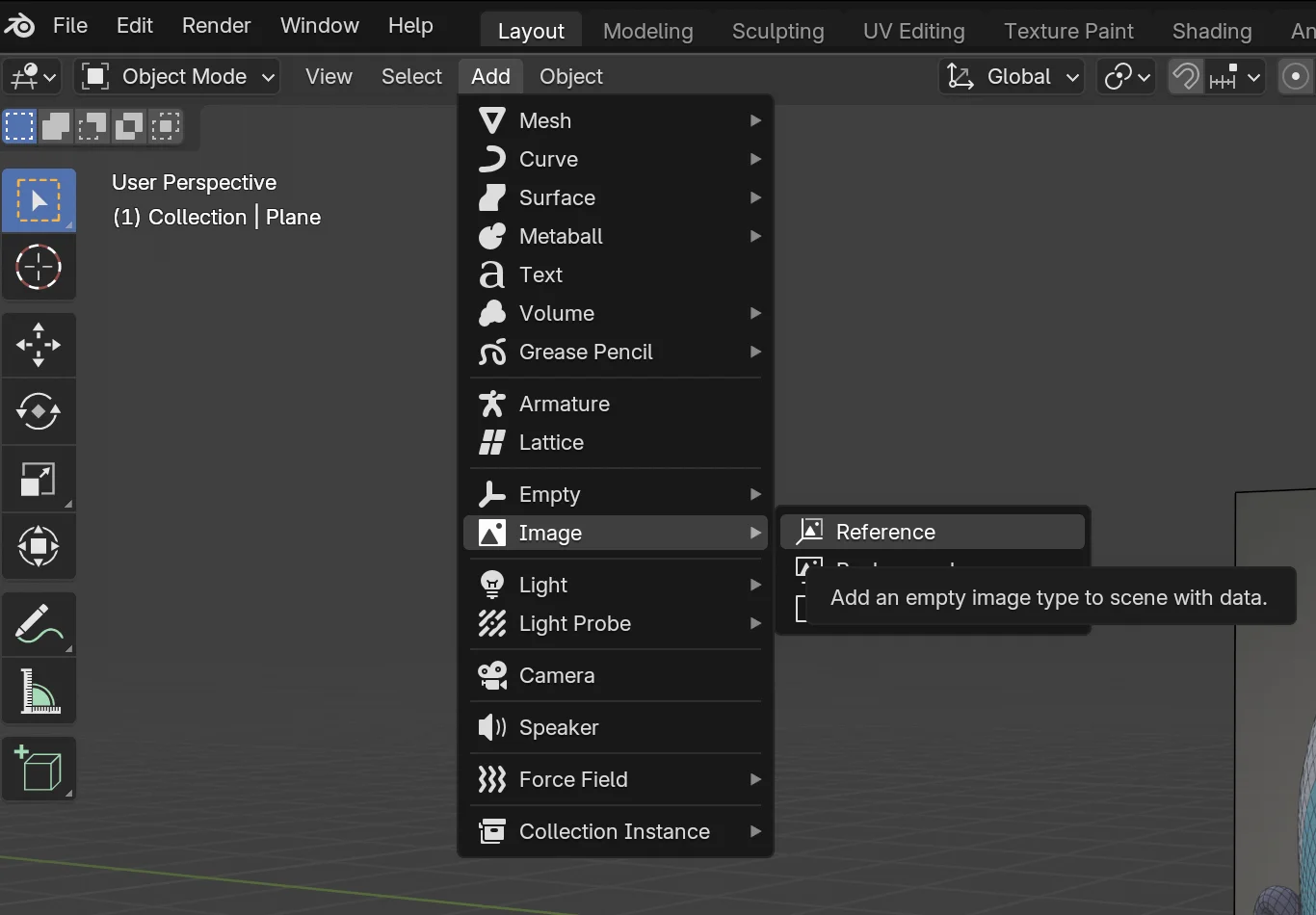
2. Lower the Opacity
Select the added Reference from "Scene Collection" in the top right. From the properties below, select "Opacity" and adjust the transparency for better visibility.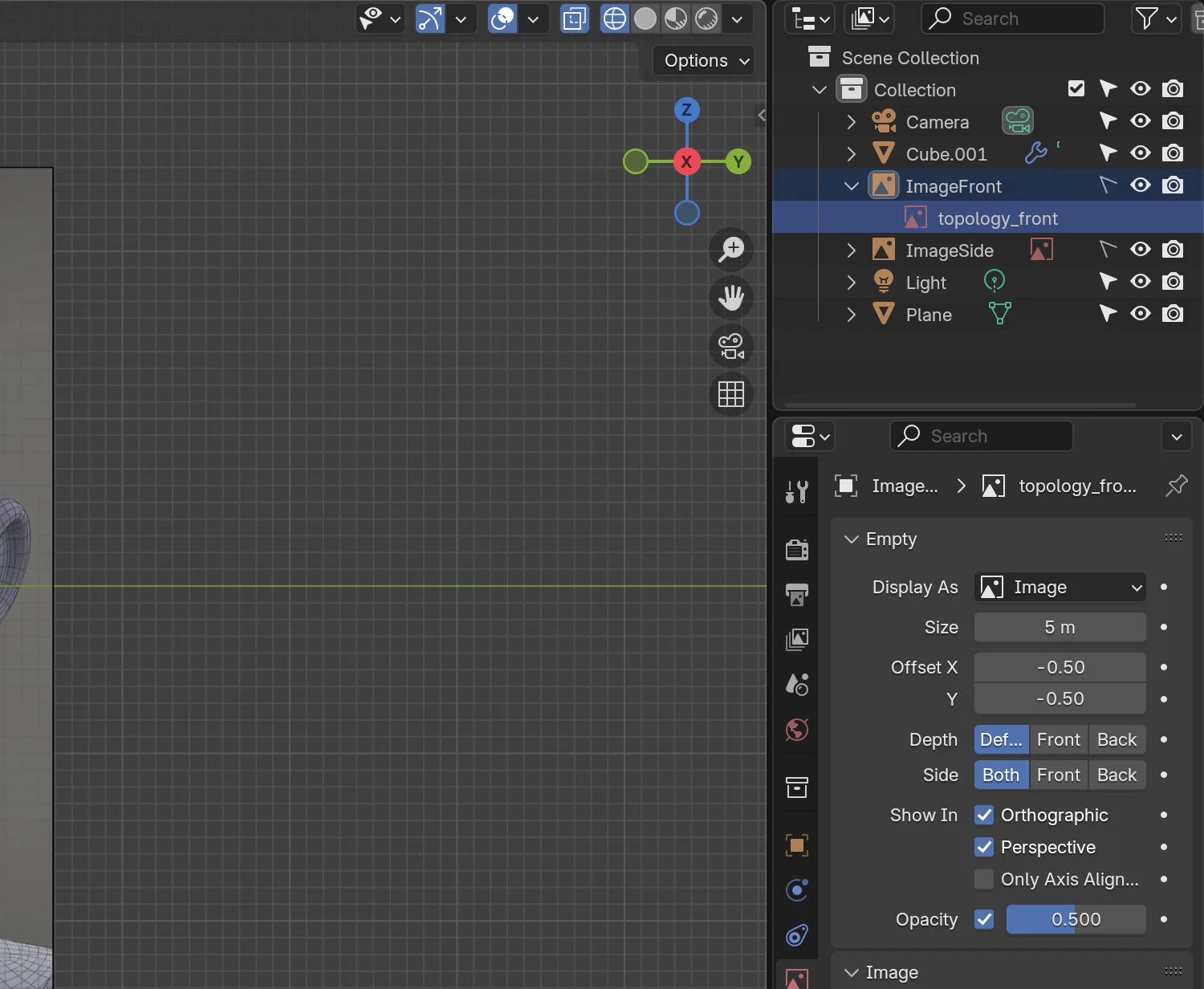
3. Set Selectable to false
To prevent selecting the image when focusing on the model, we'll make it unselectable. Click the filter icon in the top right. From "Restriction Toggles", activateSelectable (second from the left)
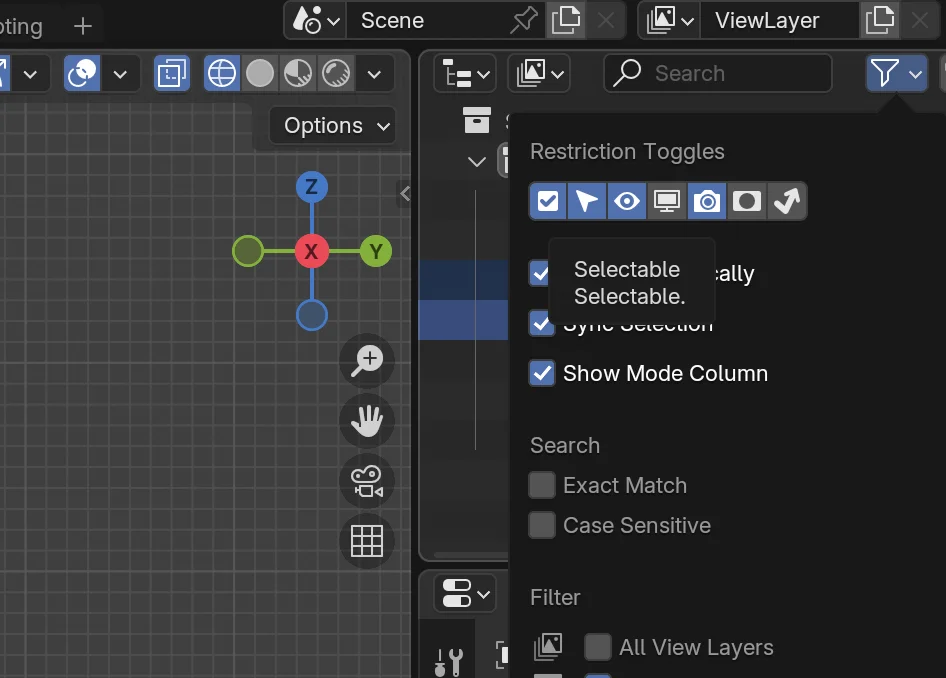
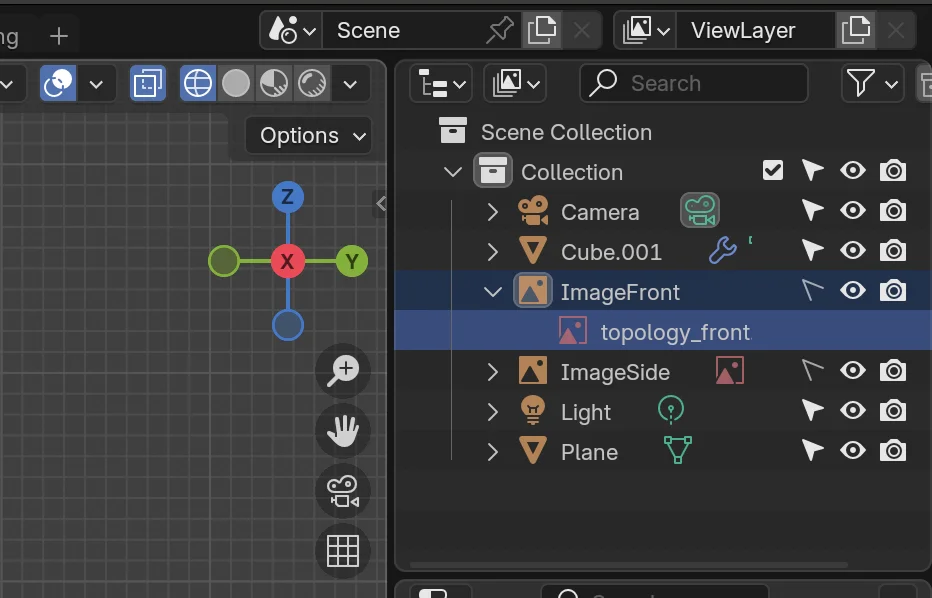
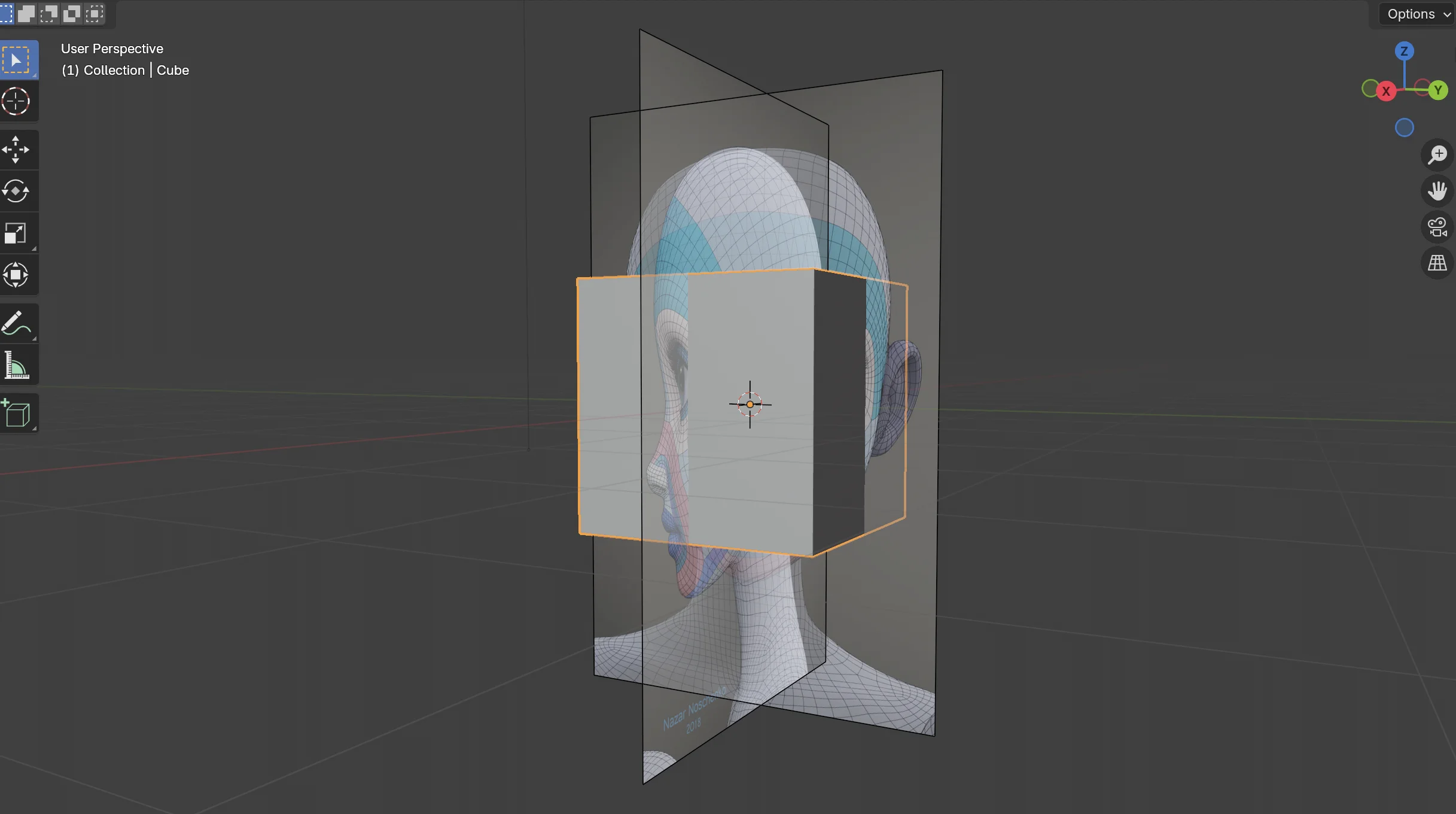
That's it! The reference image is now set up as shown below 🎉
Conclusion
🙏🙏🙏